On the go. On your commute.
AI writes the code and builds it.
DevDroid AI is a SaaS that handles everything from code fixes, PR creation, and cloud builds to APK distribution for Android apps — just give instructions in natural language from your smartphone.

See It in Action
Key Features
Android app development keeps moving with natural language alone — no need to open a PC.
Autonomous AI Agent Fixes
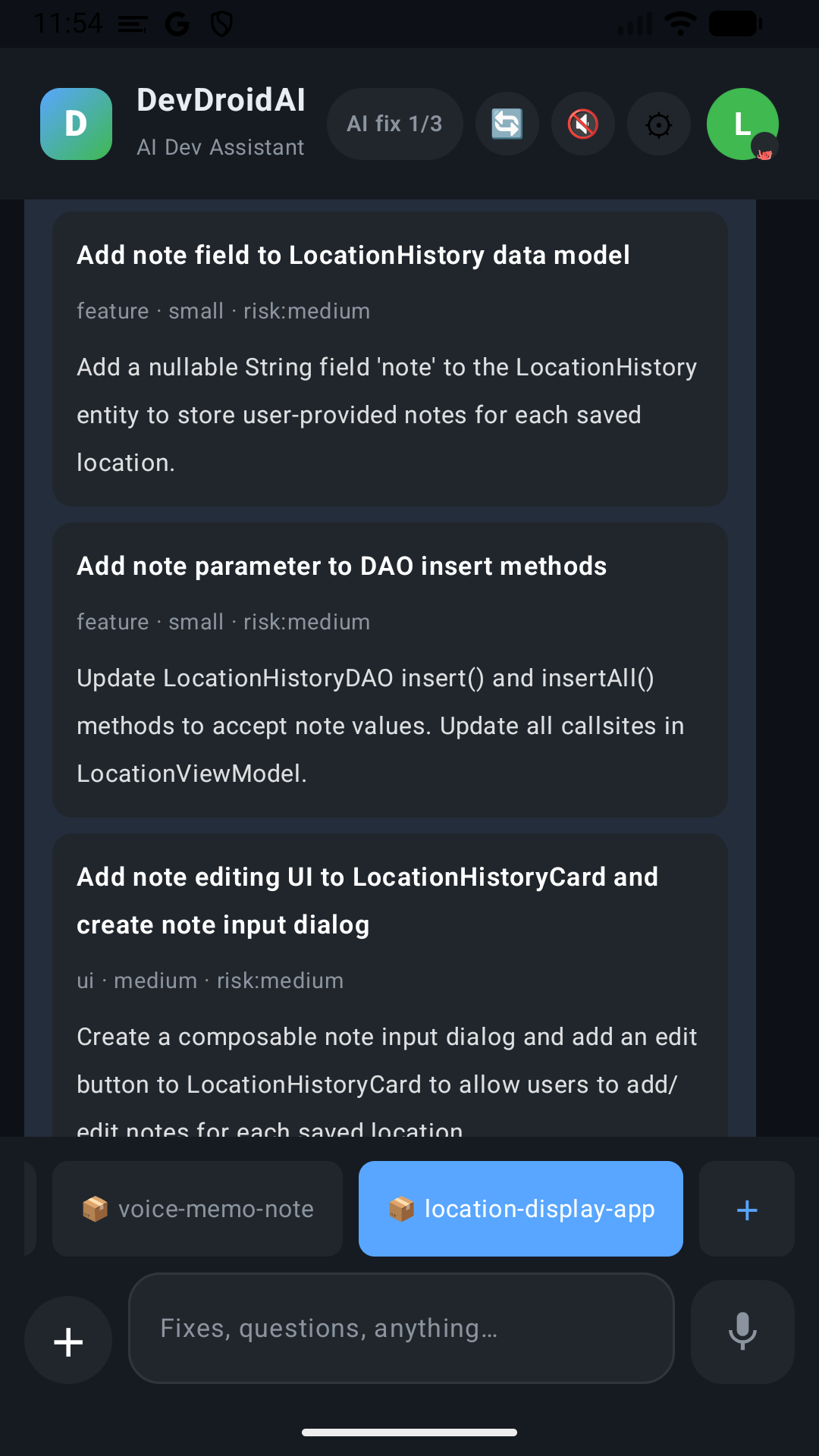
A Claude AI agent autonomously reads, modifies, and verifies your code. Just say "change the button color" or "fix this bug" and it generates consistent changes across related files.
GitHub Integration
Changes to existing repositories connected via OAuth are automatically turned into PRs. Direct push is also available as a user setting.
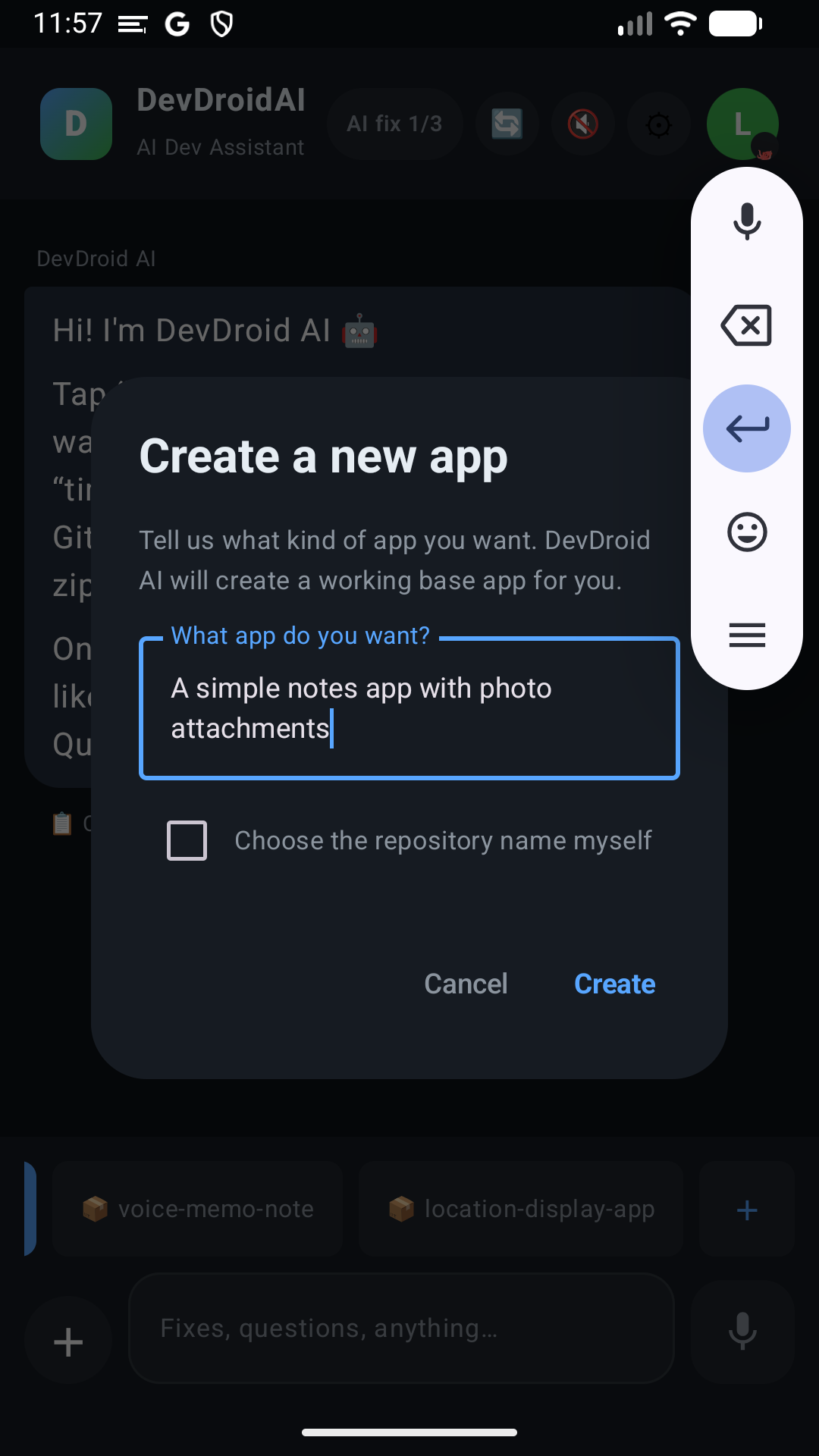
Import an AI Studio zip
You can start without an existing GitHub repository. Import a zip exported from Google AI Studio and it becomes a new repository you can immediately ask the AI to work on. Secret files such as .env and keystores are excluded on the server during import, and we tell you how many were excluded.
Cloud Builds
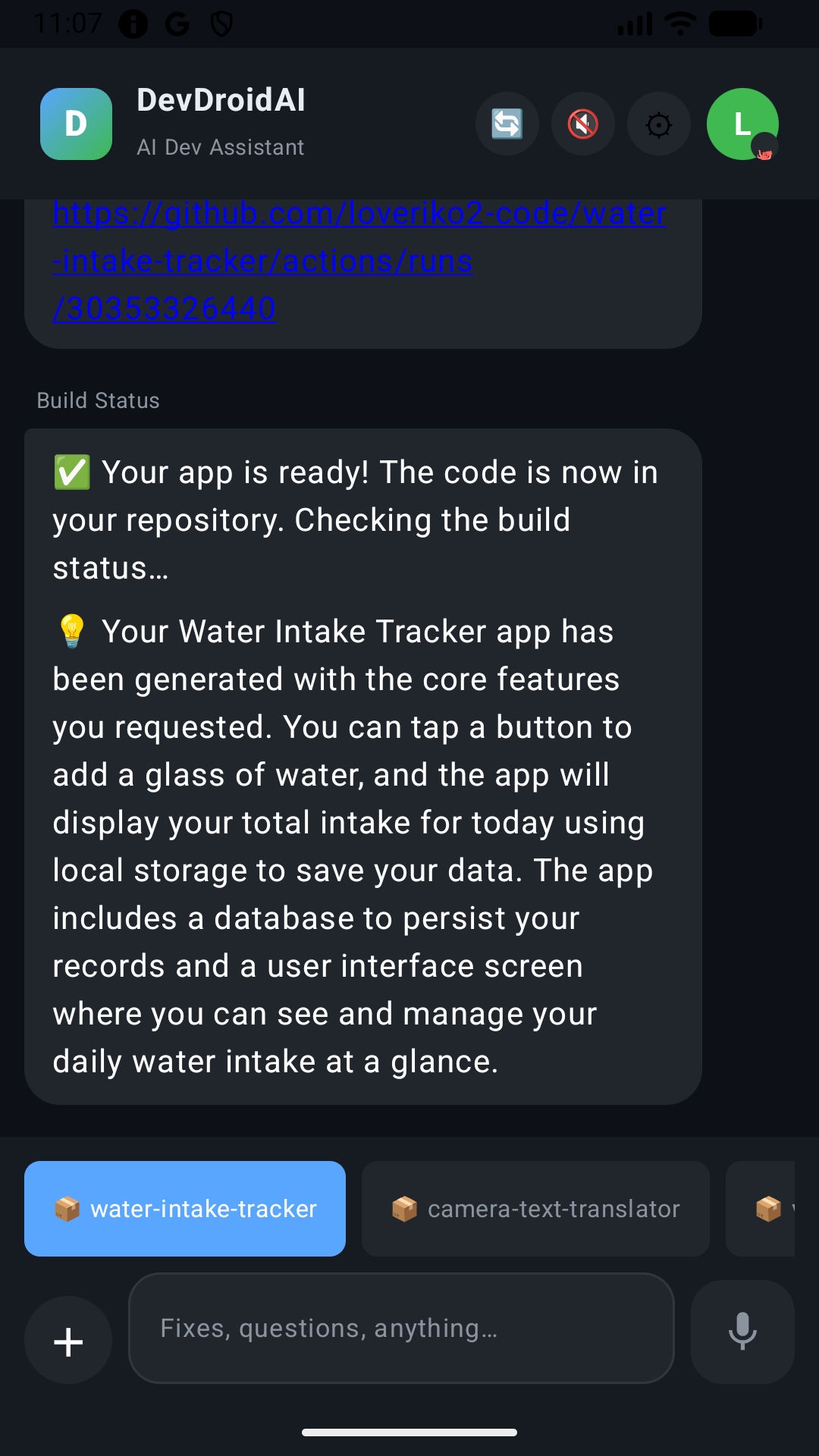
GitHub Actions builds the APK, which you can then download to your device from a dedicated install page. No command-line operations required.
Existing Code Changes Require Your Approval
Your existing code is never changed unless you approve it. Fixes to existing apps are created as GitHub PRs, so you can review the diff before merging and accept it only when you are satisfied.
(New app generation commits directly to the default branch of the newly created repository. Reports only add files under docs/reports/ and never rewrite existing code.)
Voice Input and Output
Give instructions by voice and hear responses read aloud in a natural voice. Develop hands-free even while on the move with your hands full.
Team Sharing
Share repositories with owner / member / viewer roles. Code review and team development are also completed on your phone.
Automatic Error Resolution
When a build failure is detected, the AI analyzes the cause and automatically creates a fix PR. Errors that happen late at night are already handled by the next morning.
Multilingual Support
The app UI is available in 8 languages (Japanese, English, Korean, Chinese (Simplified/Traditional), Portuguese (Brazil), Hindi, Indonesian). The AI also replies in your device's language.
How It Works
From setup to your first APK delivery: about 5 minutes on average.
Connect or Create a Repository
Connect your GitHub account via OAuth. Pick an existing repository, or have the AI create a new app and start from a fresh repository.
Instruct the AI
Type a change request in natural language, like "make the login screen button red."
Review the PR
Changes to existing apps are automatically created as PRs, so you can check the diff on GitHub before merging.
Build & Distribute
The build runs in the cloud. Once complete, you can download the APK from a dedicated install page.
Pricing Plans
Start with Free to try the AI agent, then move to Pro / Pro Max as your usage grows.
Currently in beta. Prices, limits, and features may change in the future.
- AI agent fixes: 3 total
- AI chat: included
- Voice read-aloud: included
- AI agent fixes: 12 per month
- AI chat: included
- Voice read-aloud: included
- Custom templates
- Team member management (up to 10)
- AI agent fixes: 24 per month
- AI chat: included
- Voice read-aloud: included
- Custom templates
- Team member management (up to 50)
| Feature | Free | Pro | Pro Max |
|---|---|---|---|
| AI agent fixes | 3 total | 12 / month | 24 / month |
| AI chat (no code changes) | ✓ | ✓ | ✓ |
| Voice read-aloud | ✓ | ✓ | ✓ |
| Team member management | — | Up to 10 | Up to 50 |
| Custom templates | — | ✓ | ✓ |
For high-volume team use or invoice billing, please contact us by email. Terms are arranged individually according to the scale of use.
support@devdroidai.comFrequently Asked Questions
Can I really develop with just a smartphone?
Yes. Code editing, diff review, PR creation, builds, and APK distribution are all completed in the cloud, so there is no need to start a PC. Use a PC only when you need complex refactoring or IDE features.
Which platforms are supported?
The client is an Android app, distributed on the Google Play Store. Target codebases are mainly Kotlin / Java, with support for web languages as well.
Is my source code sent to external services?
When you instruct the AI, only the contents of the files being modified are sent to the Anthropic Claude API. See the Privacy Policy for what is sent and how API keys are managed.
How do I switch from the free plan to a paid plan?
Open "Upgrade plan" in the app and subscribe through Google Play. Plans are billed monthly and can be canceled anytime from Google Play.
What can other members do with team sharing?
There are three roles: owner / member / viewer. A viewer can only browse code and ask the AI questions, a member can also modify code, and an owner has admin rights including inviting and removing members.
What stage is the service currently in?
The service is currently in beta. Because we prioritize improving features, some advanced capabilities (such as large-scale refactoring) are limited, and prices, limits, and features may change in the future. Please be careful when using it on important repositories.
Contact
Feel free to email us with any questions or requests about the service.